
Infographics for Ozon
Use AI tools to create infographics for Ozon on SellerDen AI. Background generation, product selection, SEO optimization, and more are already available
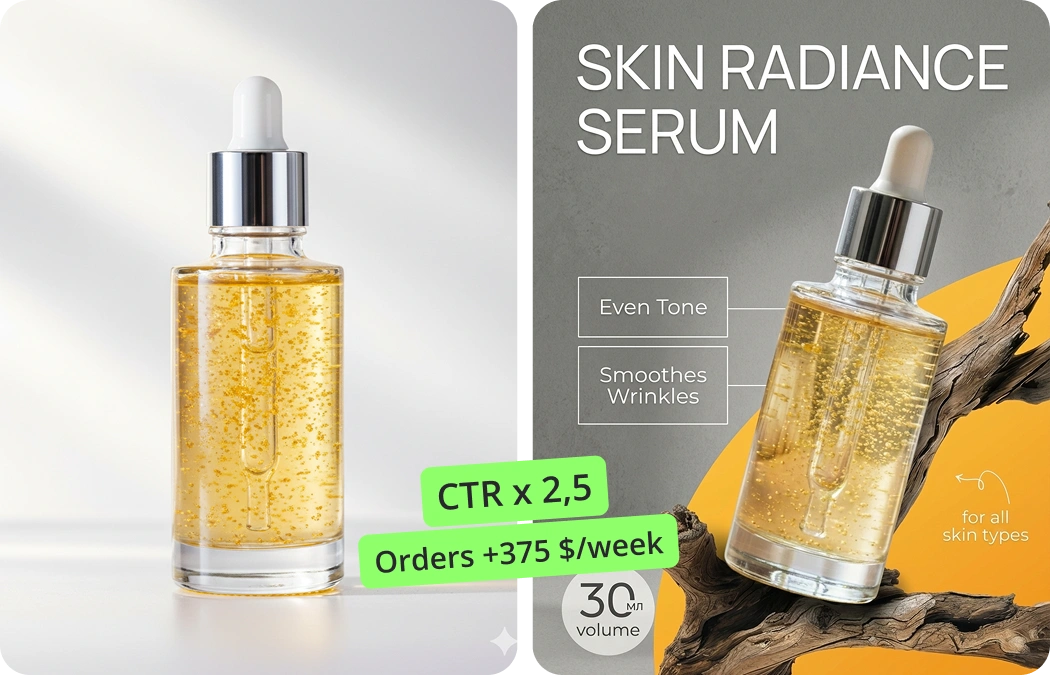
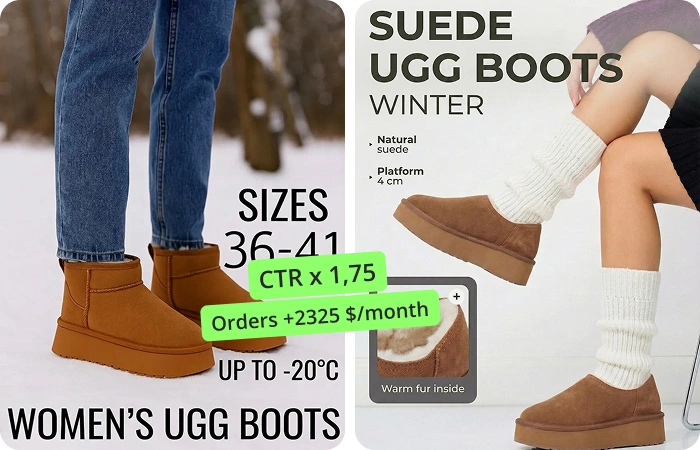
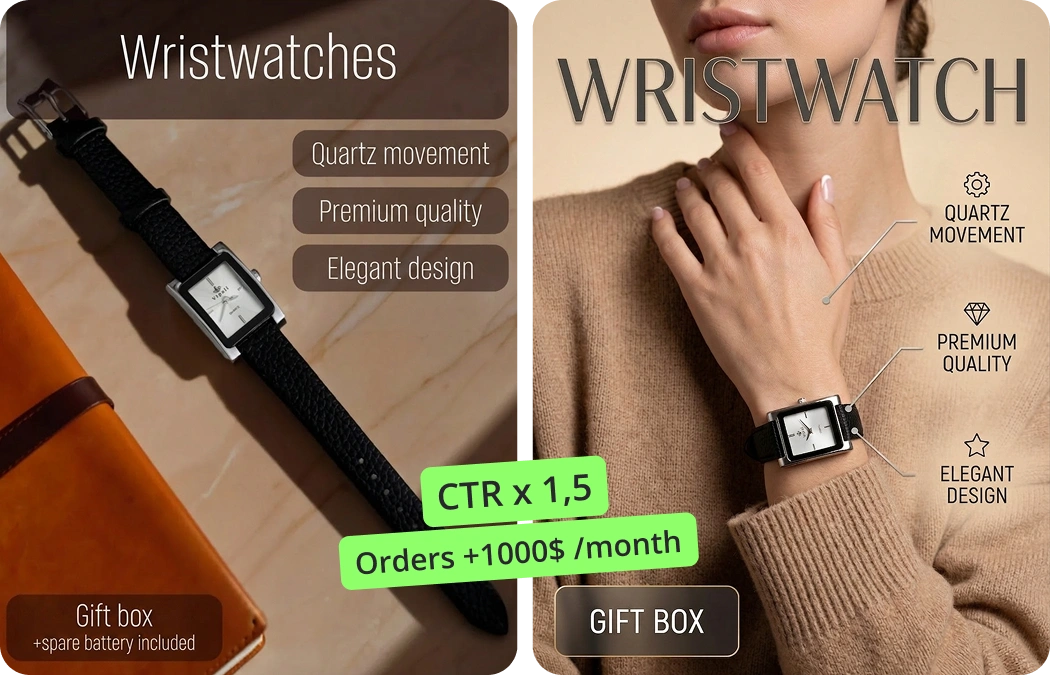
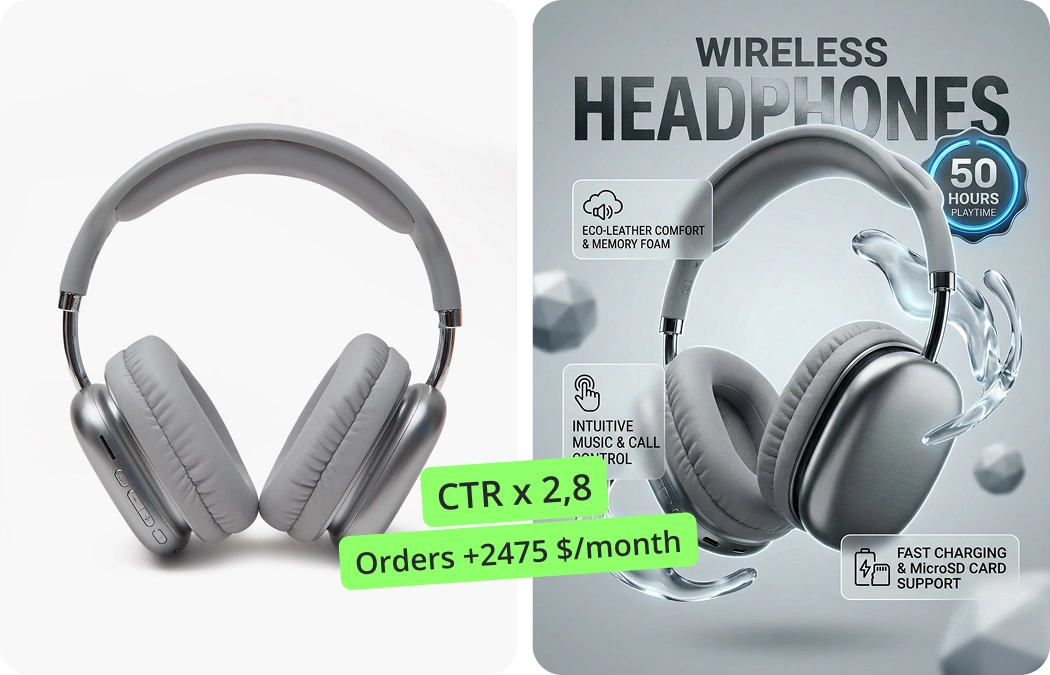
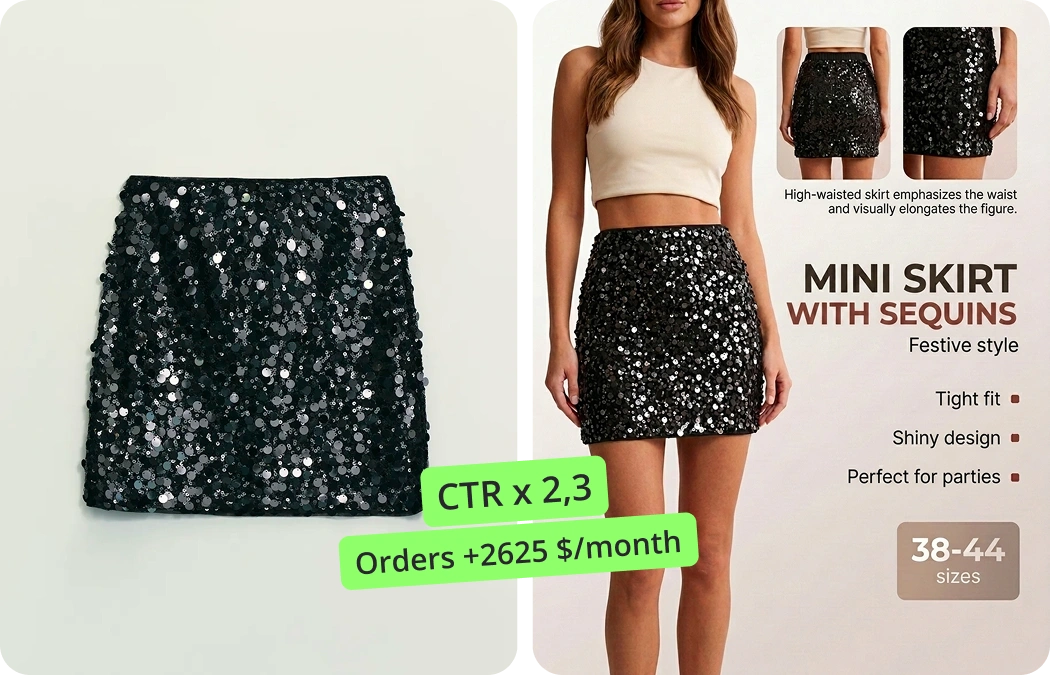
Infographics for Ozon are a strange thing. On one hand, everyone kind of knows why they matter: quickly explain what the product is, why it's good, and how to use it. On the other hand, making them by hand is real grind — especially with a catalog of a hundred SKUs, each with its own specifics. Many sellers on Ozon quickly learn that plain images aren't enough. Everything needs to be clear and sharp.
Automation becomes hard to avoid. Old approaches mean a designer sits for hours on layouts, or teams copy competitors and tweak colors. Listings end up looking the same — lots of info, little impact. Yet even small tweaks, like arrows or a short how-to, can move sales.
AI services: how everything sped up
AI services now generate Ozon infographics almost on autopilot. Quality varies, but most follow one pattern: upload a product photo, pick a category, and the system suggests a template, lays out blocks, and fine-tunes styling. It's fast, but speed isn't the only point — results are aligned with platform requirements.
SellerDen AI helps you earn, not lose
Photos, infographics, videos and SEO descriptions for cards — all in one AI service
AI Product Infographics
AI builds selling infographics from scratch for the marketplace in 2 minutes. No prompts, no complex editors.
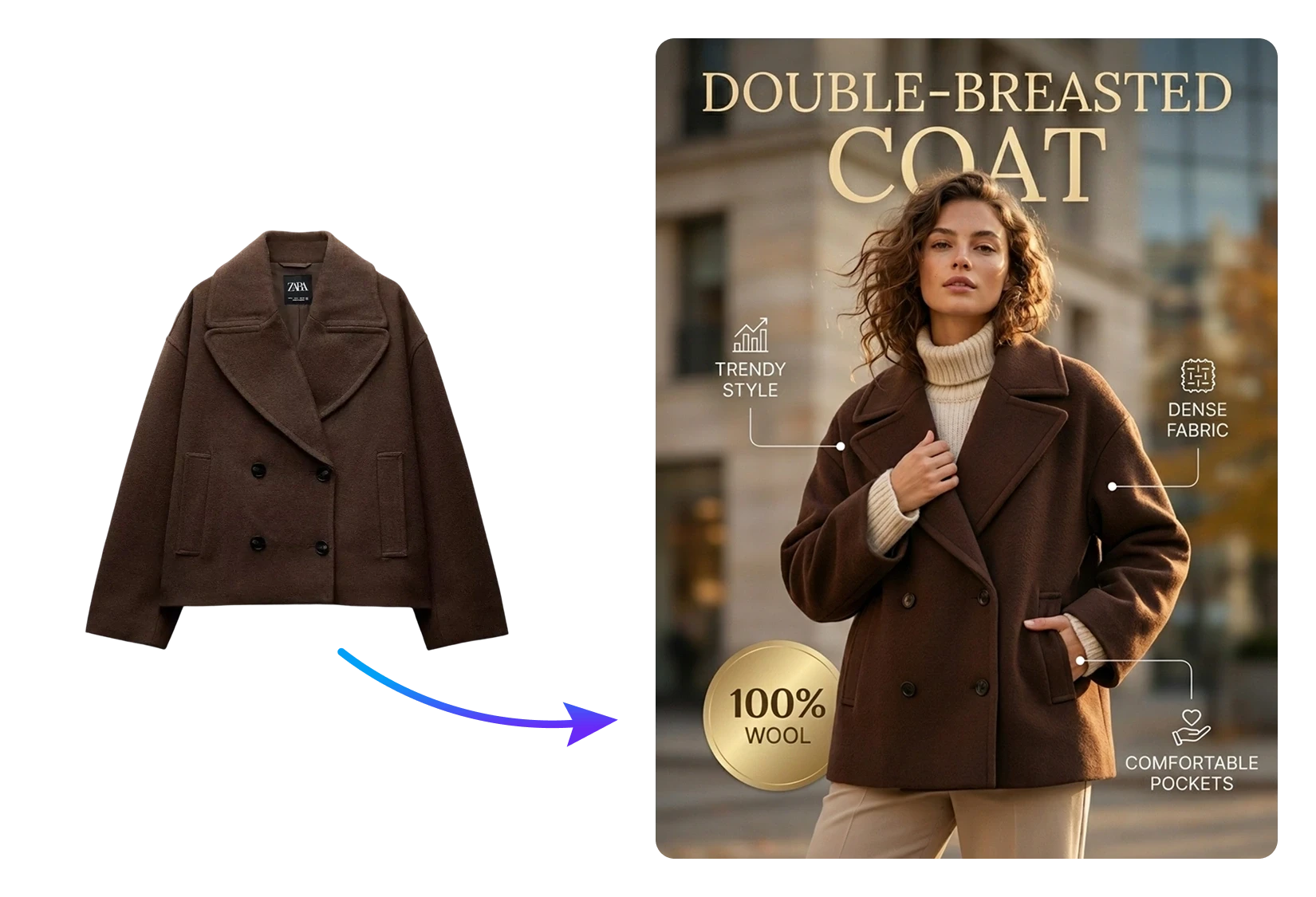
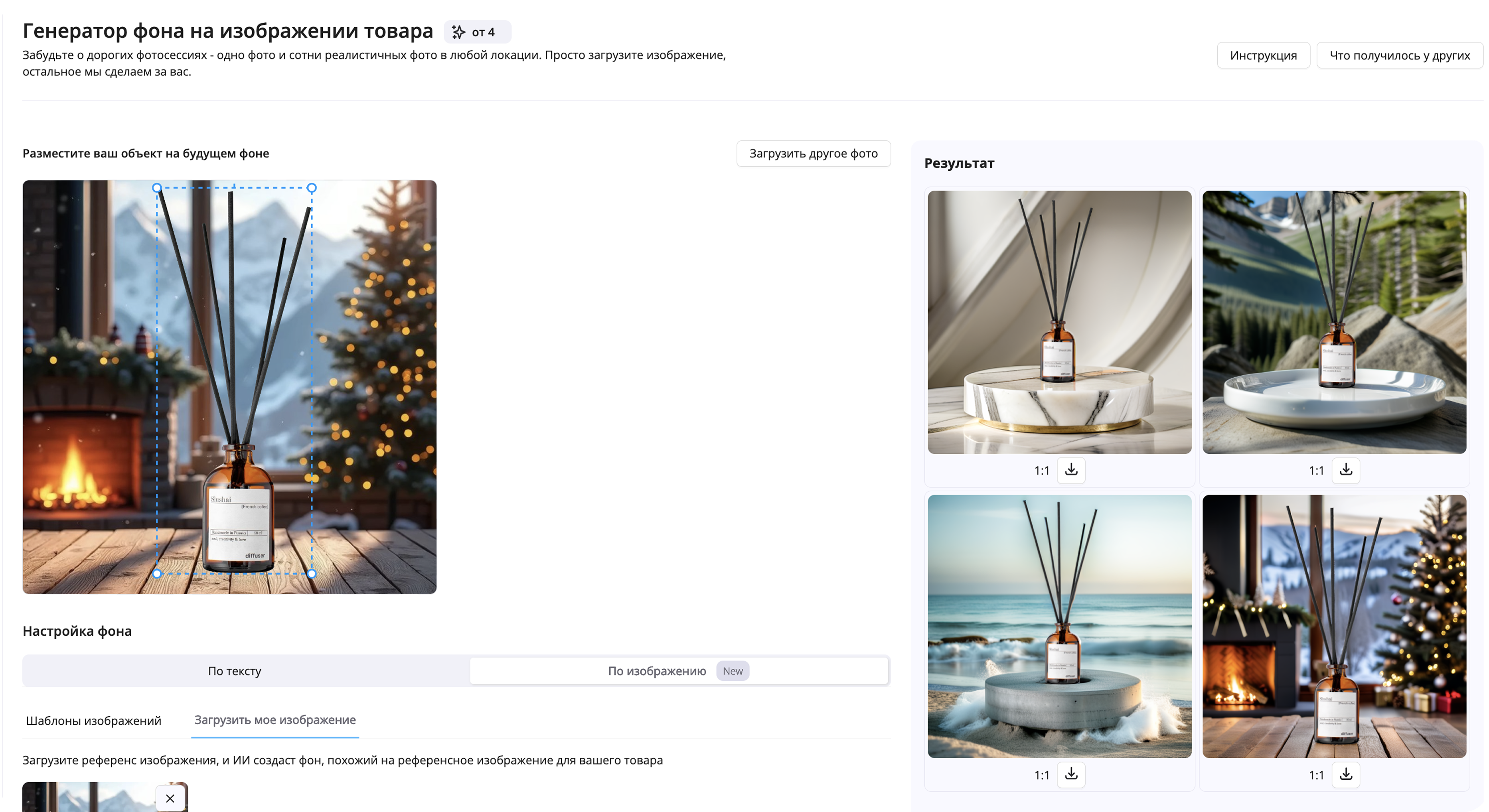
Product Photoshoot with AI
Professional product photography indistinguishable from real.
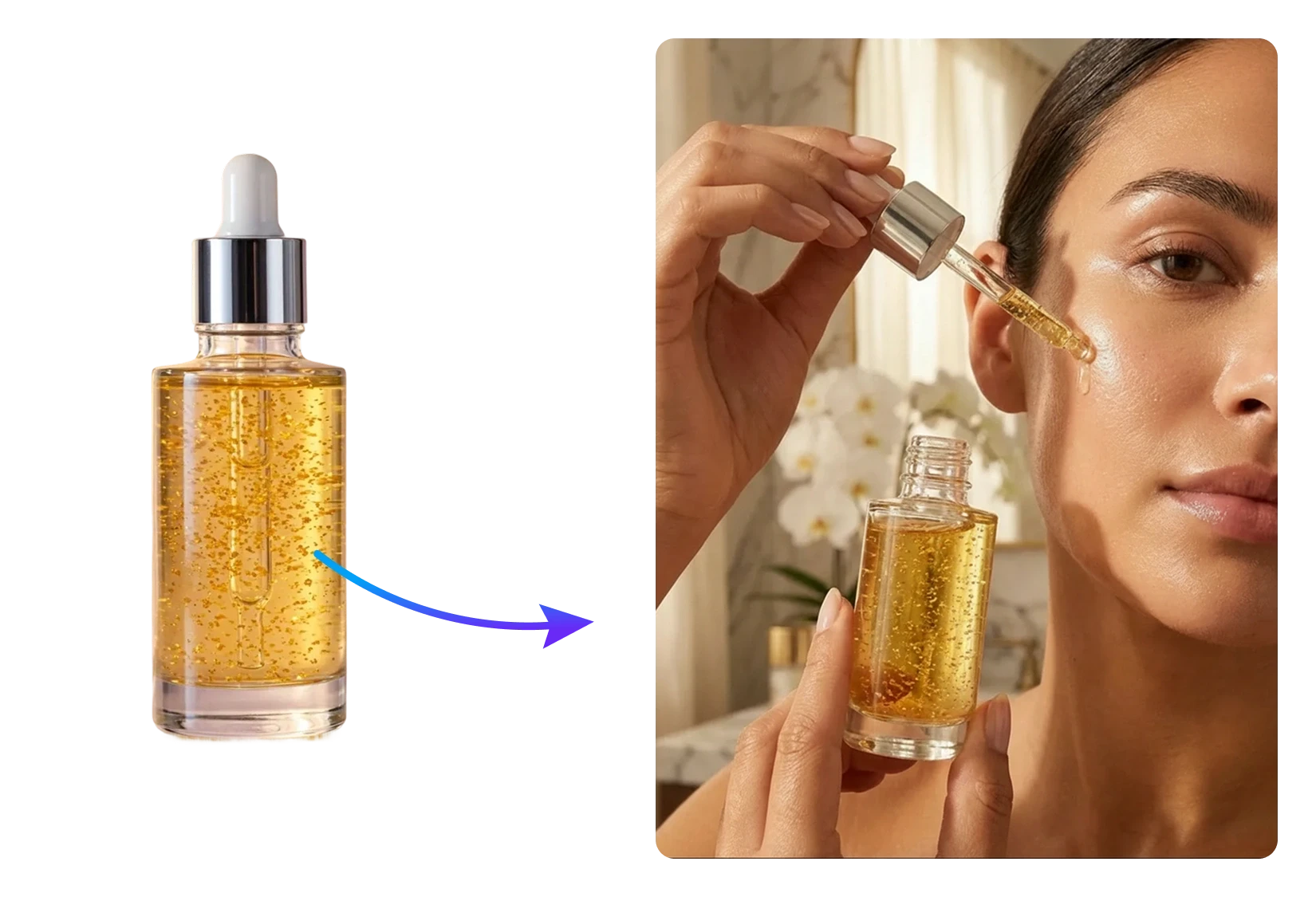
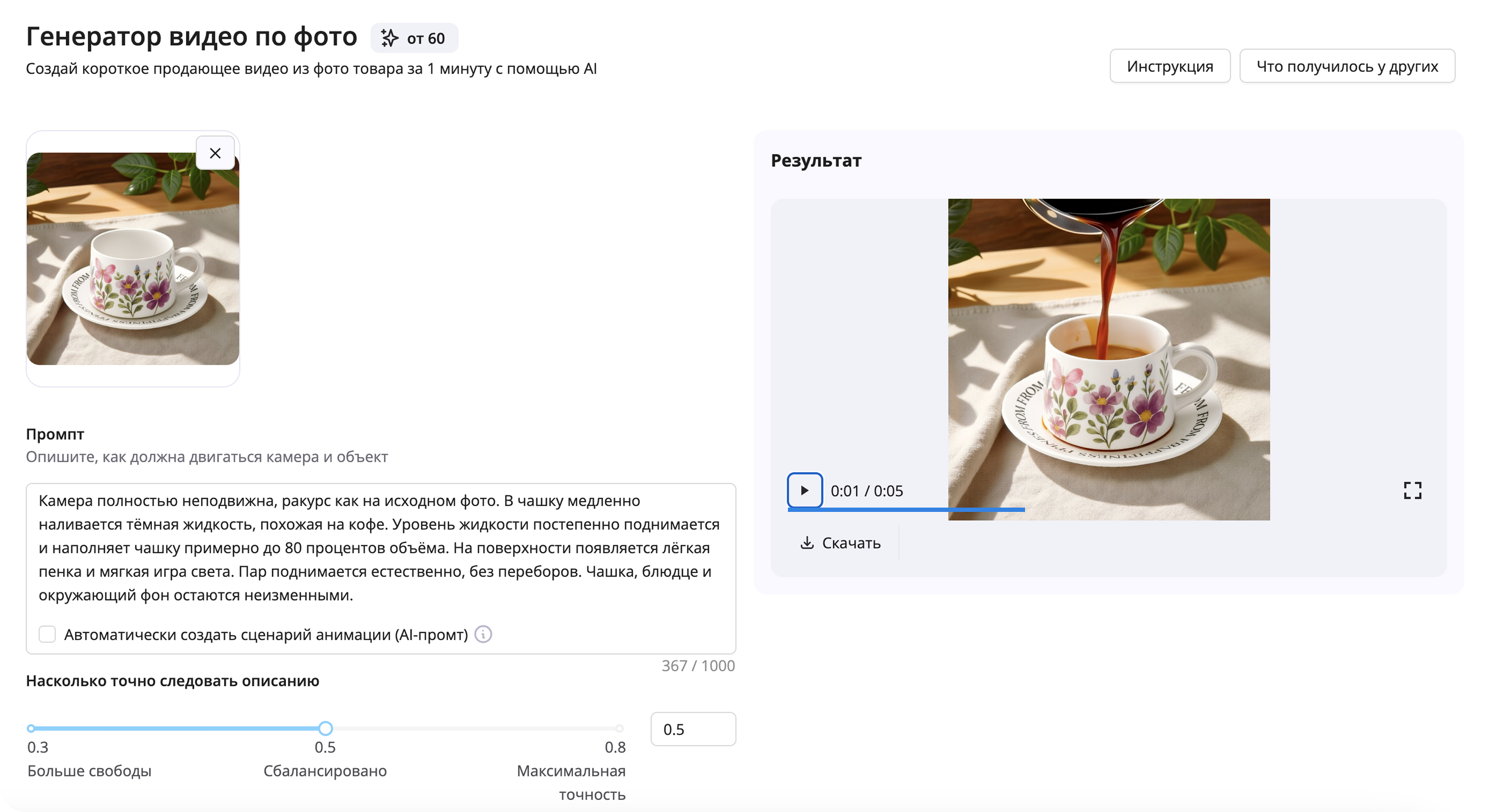
Video Generator
Short selling videos from a single image. Maximum realism of motion.

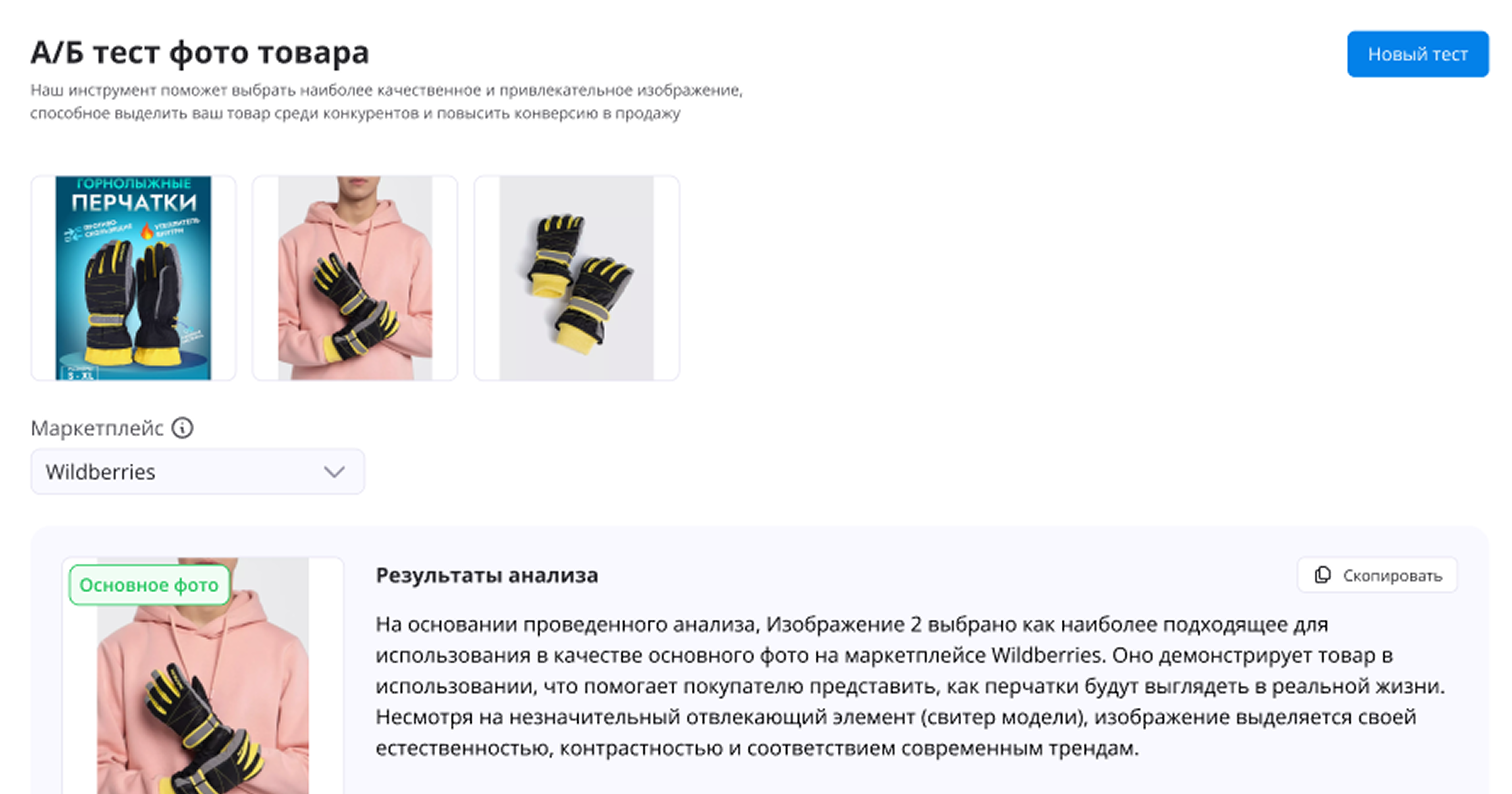
A/B Photo Test
Save your ad budget and test multiple main image variants to choose the best-converting one.
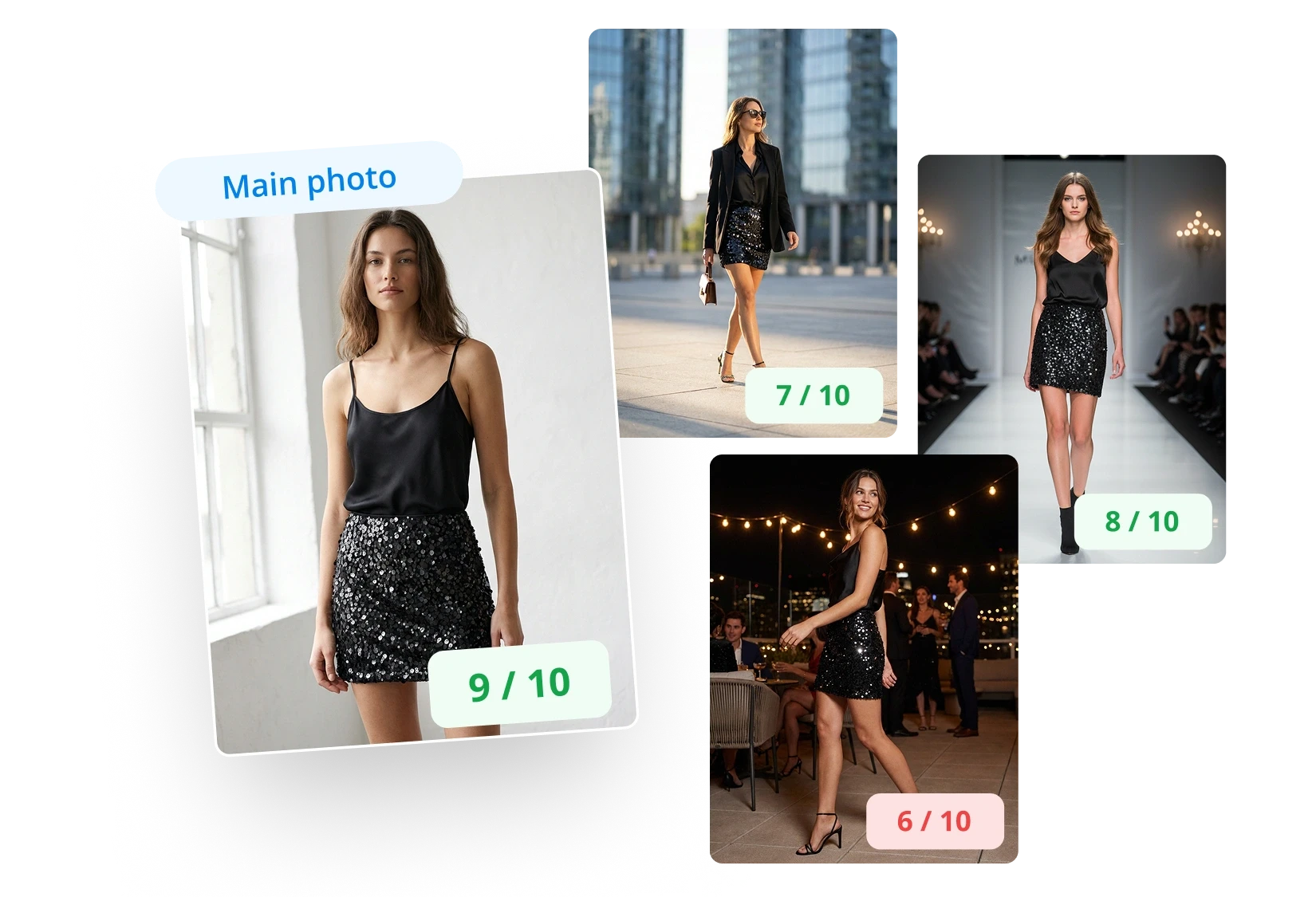
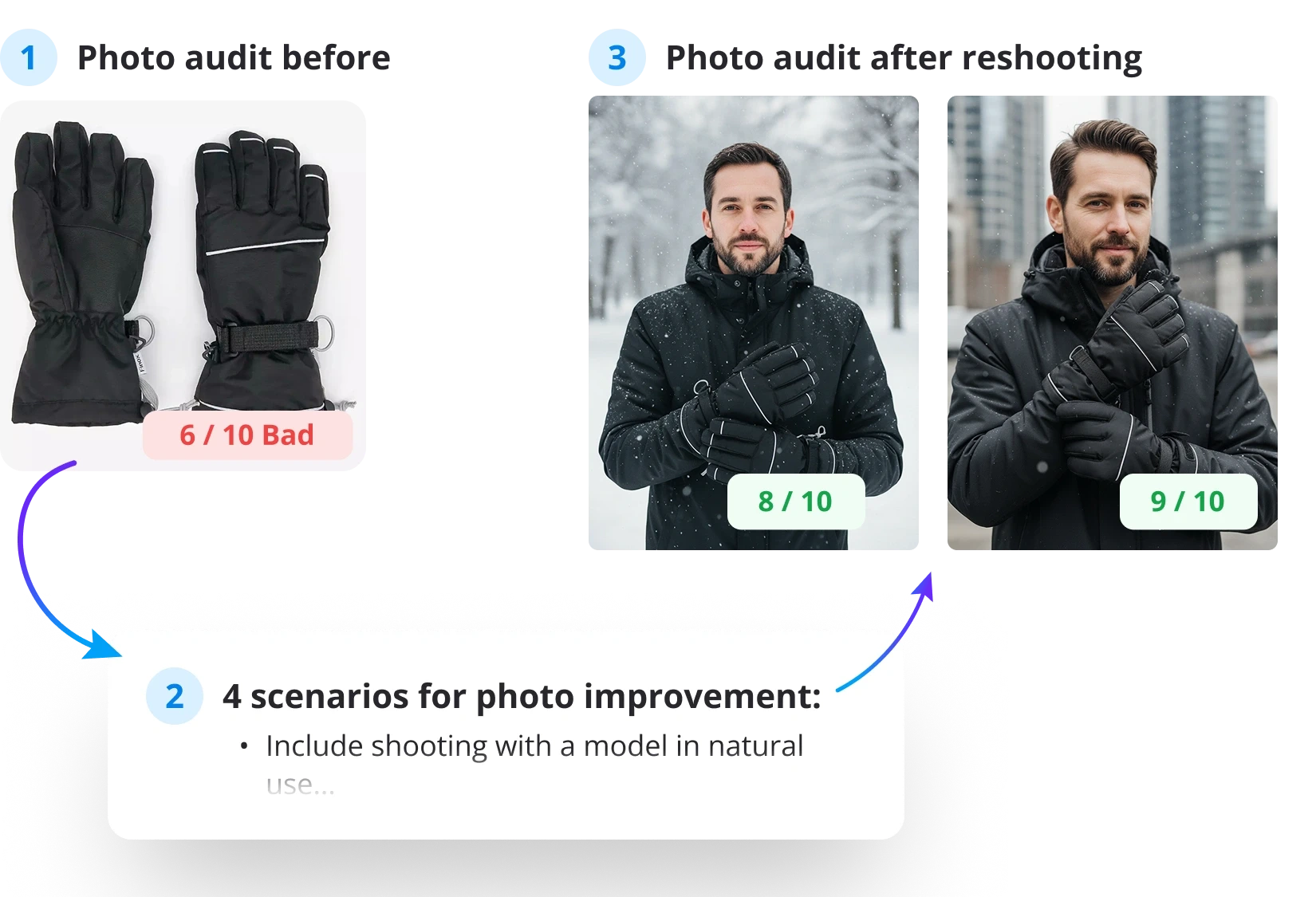
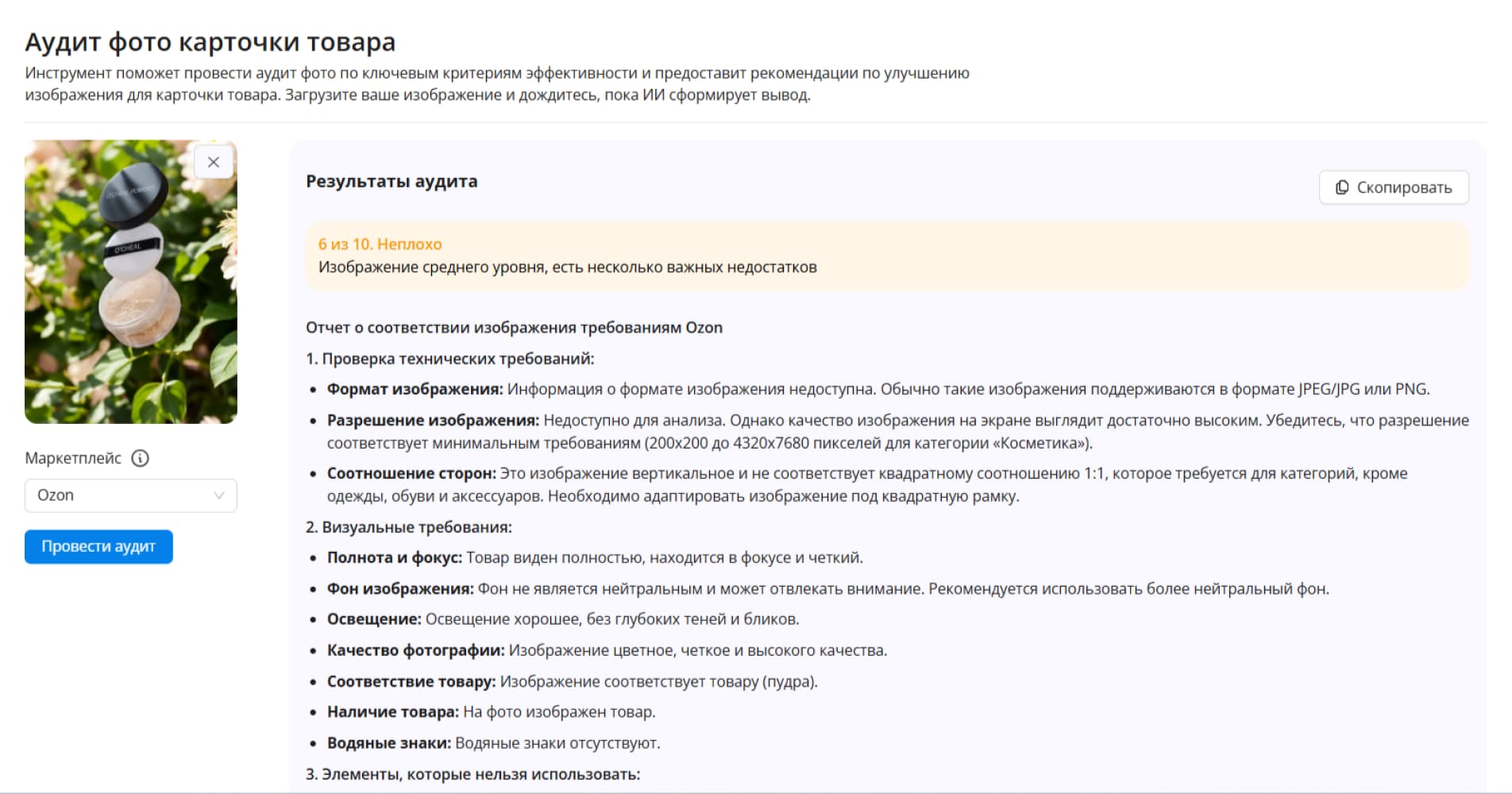
Photo Audit
Not sure why your photo isn't converting?
The audit analyzes photos for your marketplace and creates 4 reshoot scenarios.
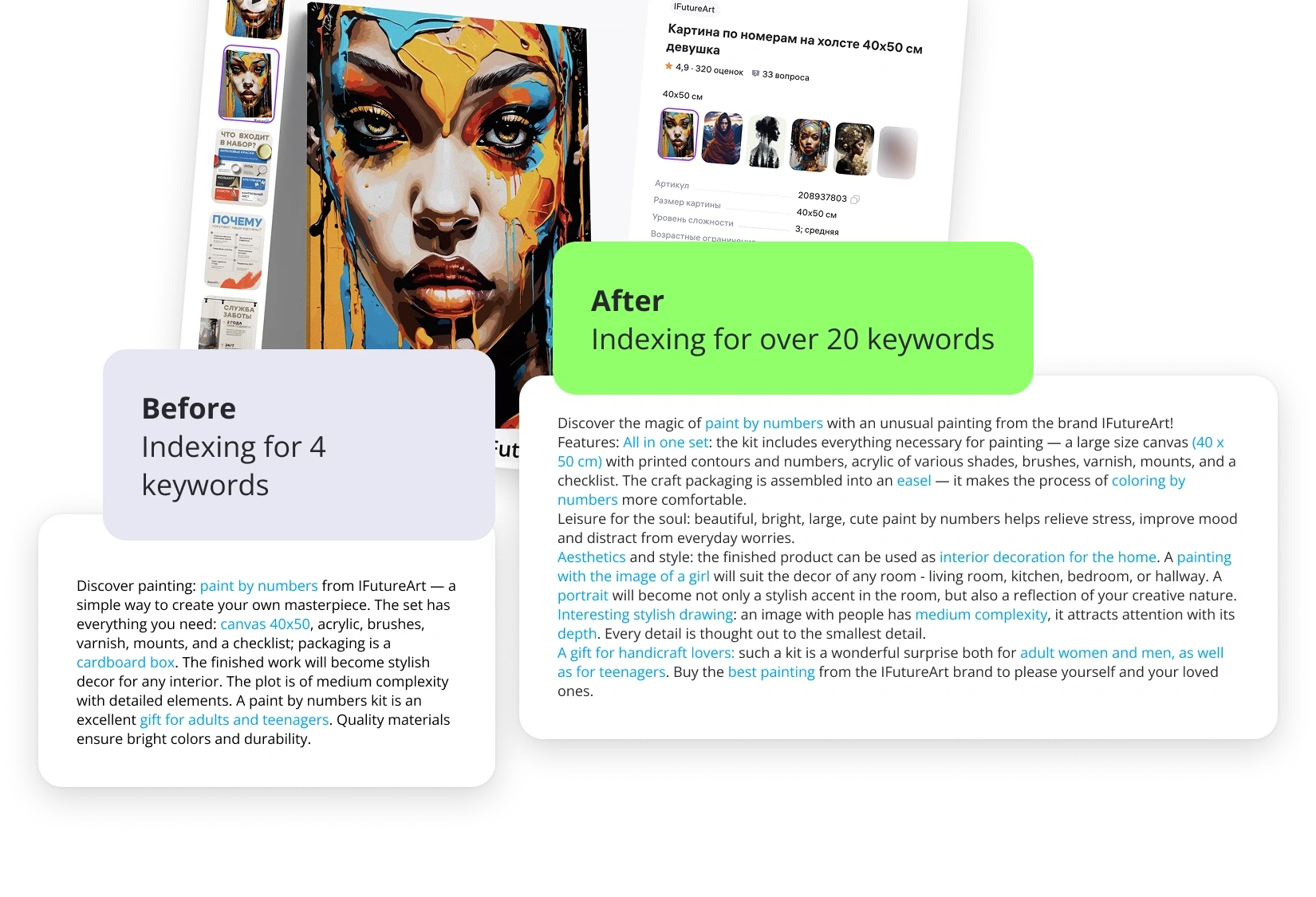
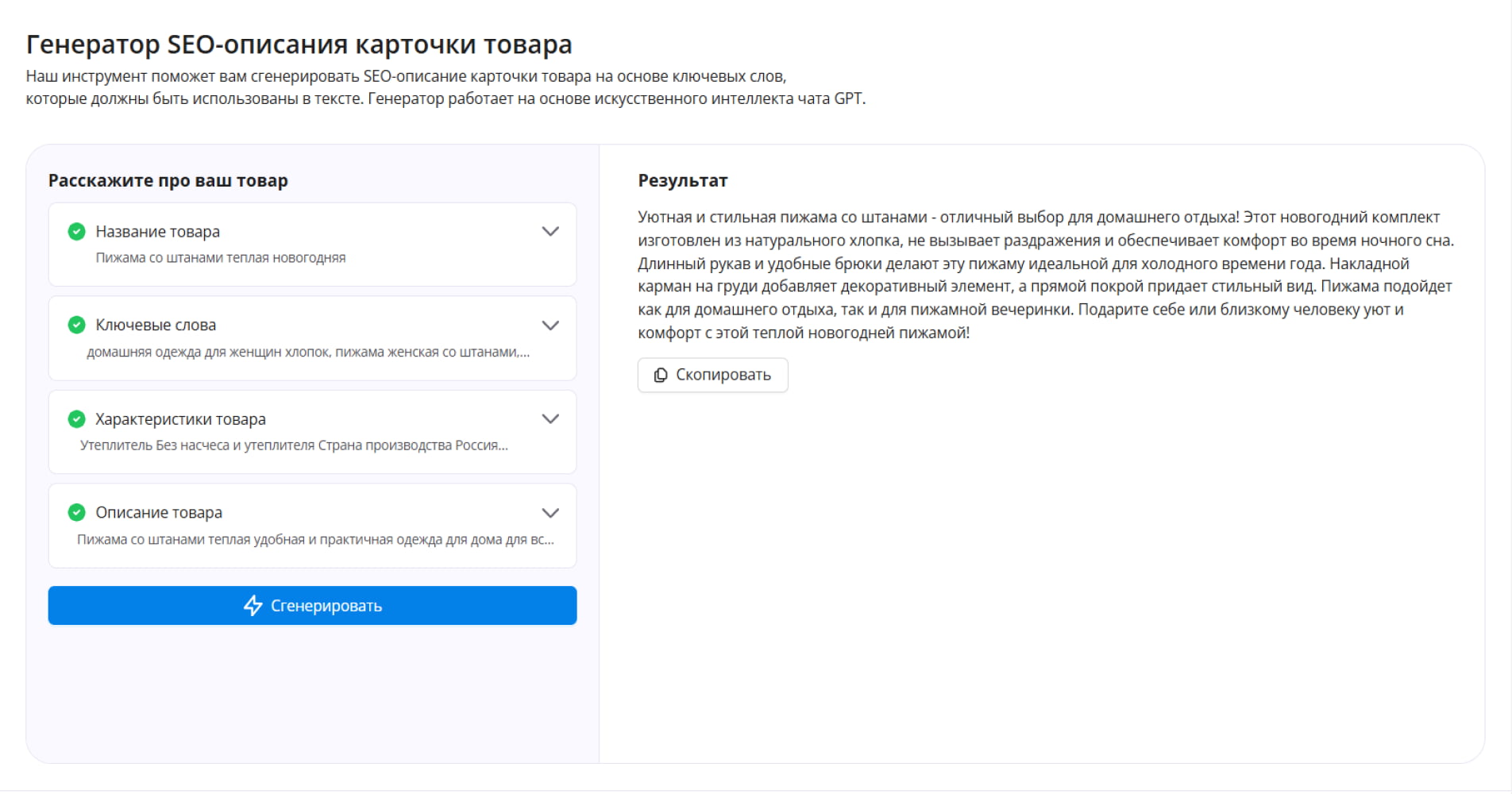
SEO Description Generator
- Create effective and attractive product card texts in one minute
- AI naturally integrates all necessary keywords, making the description compelling
- Save time and improve search rankings
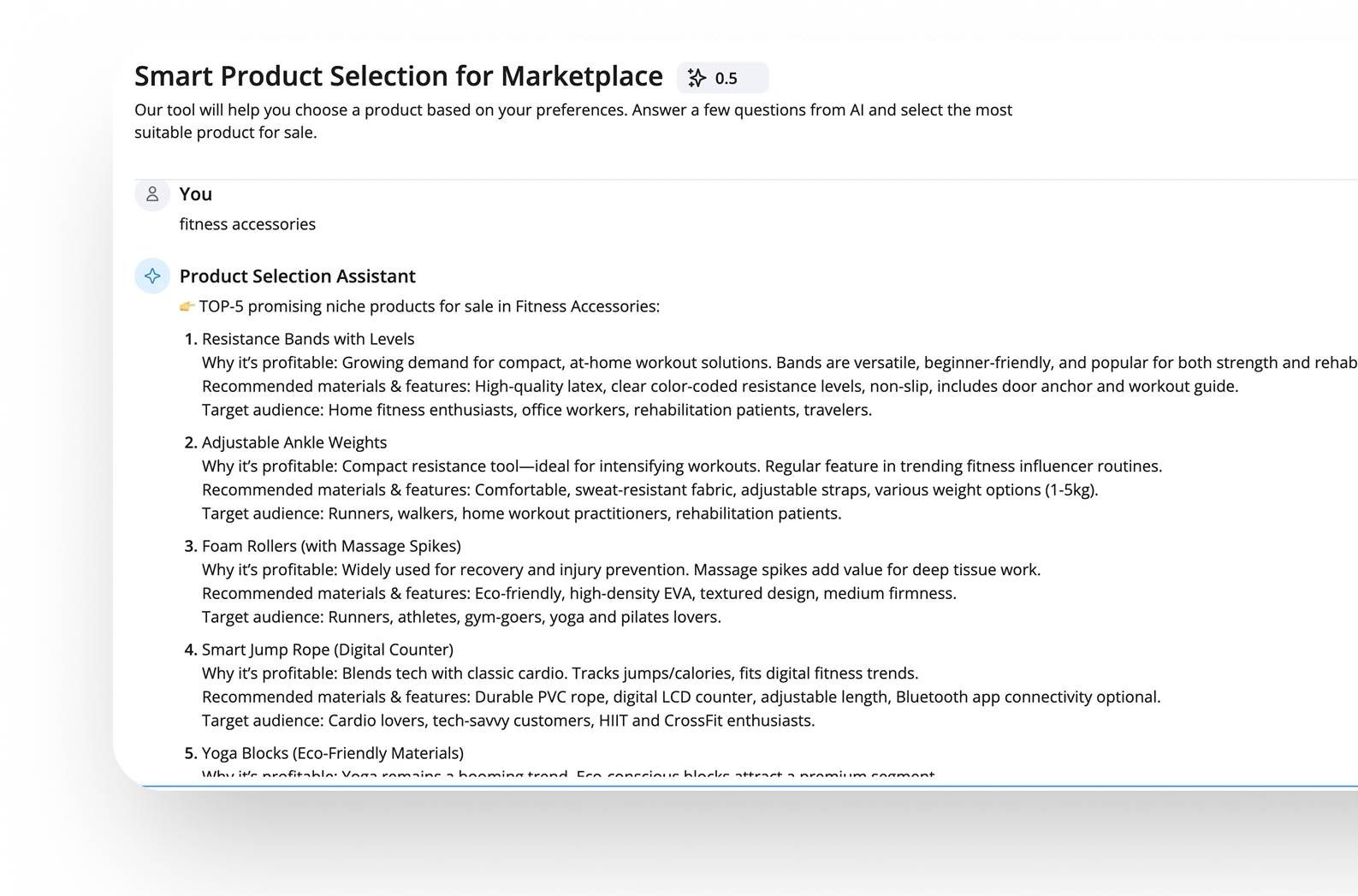
Product Finder
Don't know what to sell? Answer the assistant's questions and find a promising niche for marketplace sales.
Features
Answer a few AI questions and find the most suitable product for you to sell
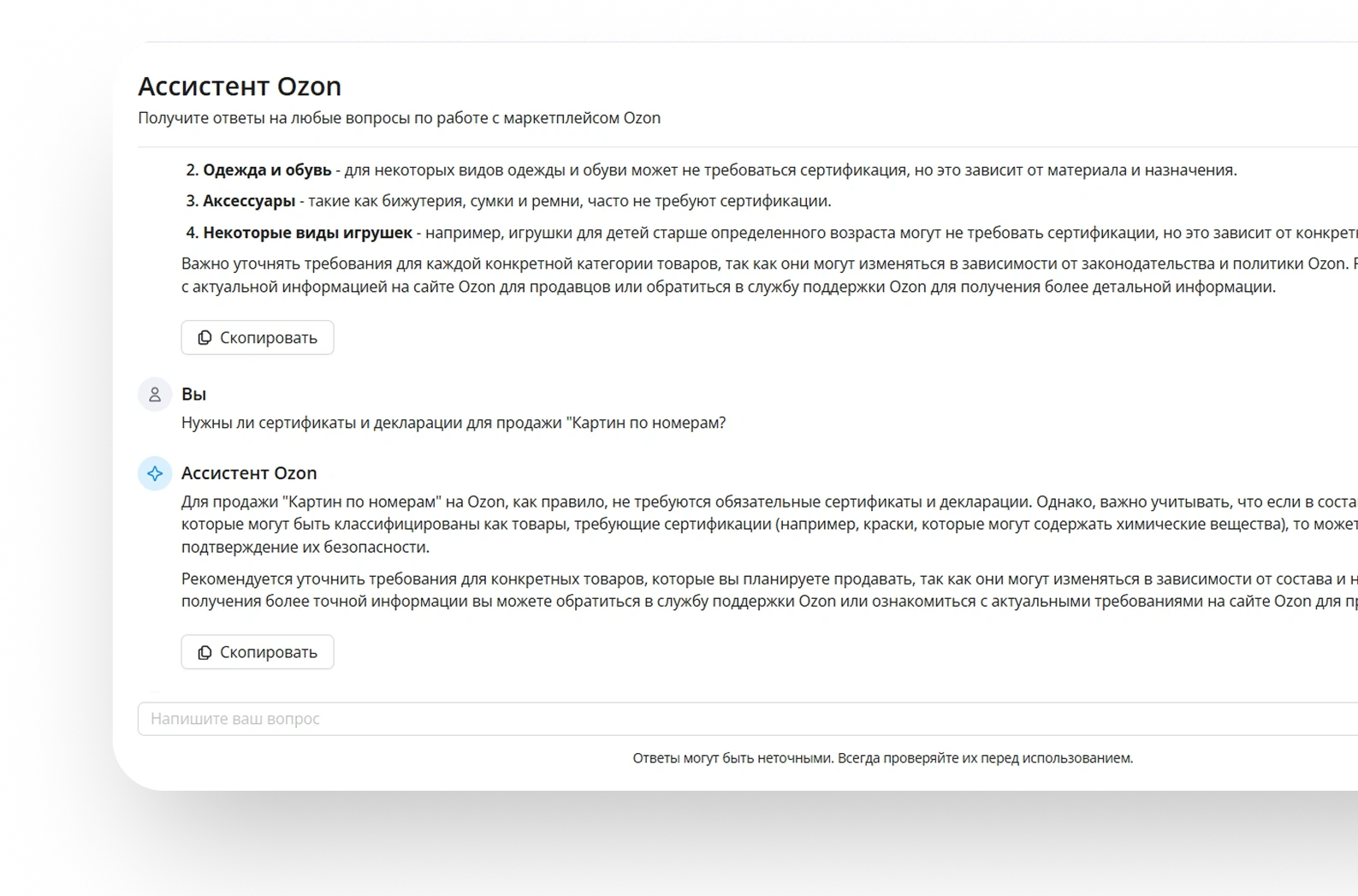
Ozon Assistant
Get quick answers to all your questions about working on the Ozon marketplace.
Features
Our AI is connected to the Ozon knowledge base and will quickly answer any question about working with this marketplace
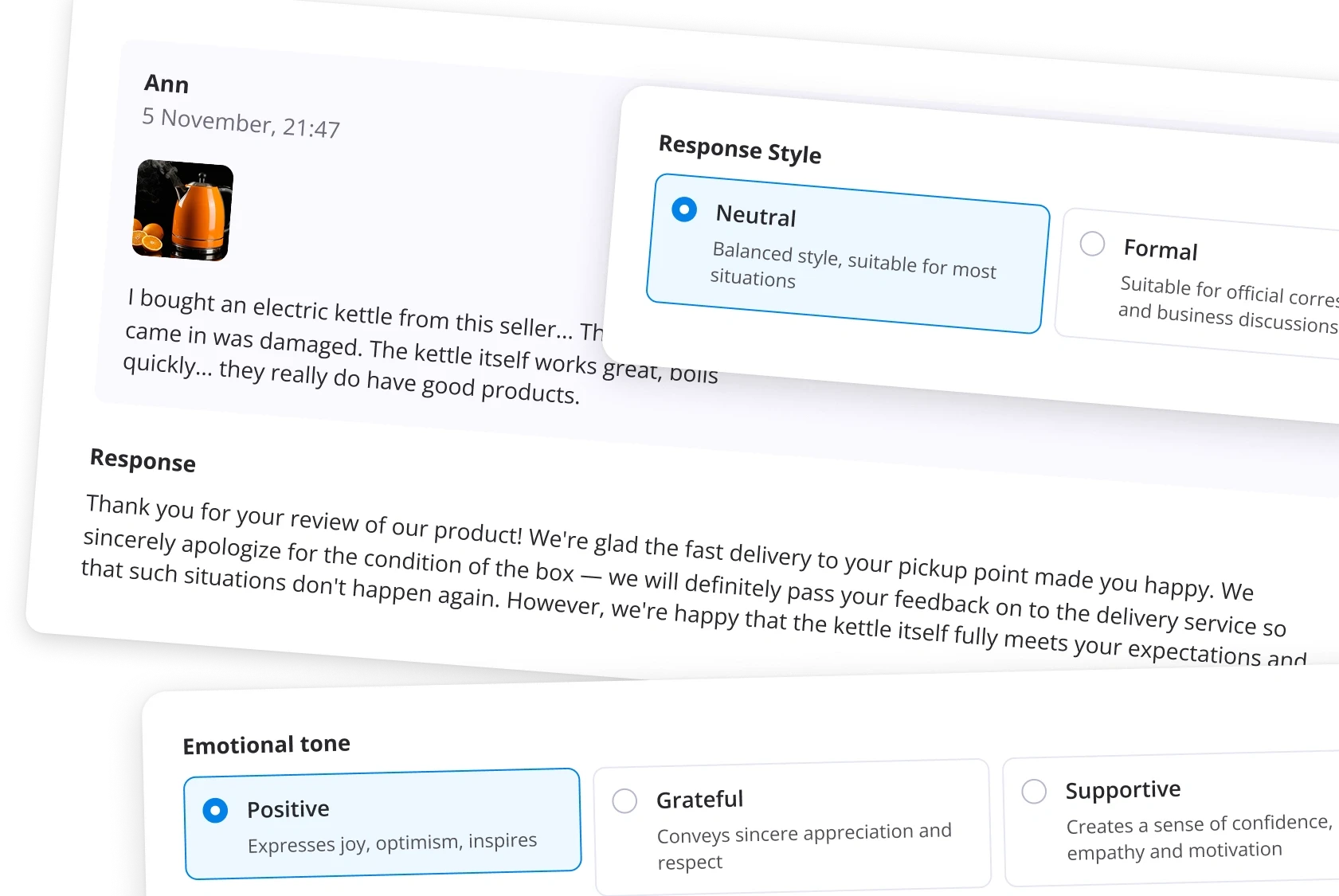
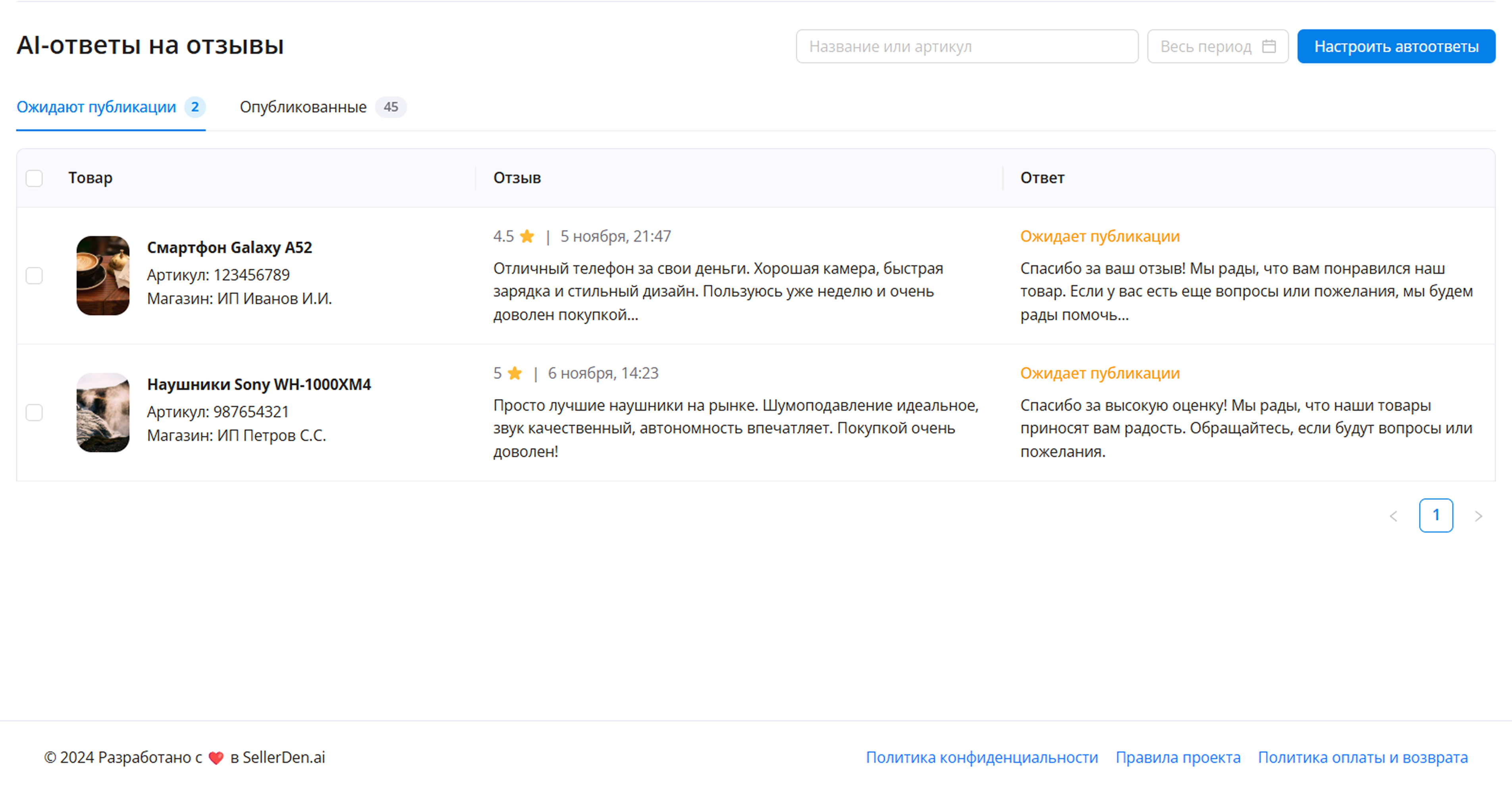
AI Review Replies
Don't miss feedback. Set up an auto-responder that will promptly react to customer reviews, handling objections and upselling with AI.
Canva, Figma, Crello, and Piktochart show up most often as universal tools. But Ozon infographics are specific: custom formats, favored colors, limits, moderation rules. Generic tools rarely account for that. Images from those apps sometimes fail moderation or feel off for local buyers.
Services built specifically for Ozon infographics
That's why marketplace-focused tools appeared. Example: a new seller tool that only needs a product listing. It analyzes the cover (with A/B testing), can suggest or generate descriptions, spot weak areas, advise on visuals, and auto-pick a style that fits platform rules.
Built-in listing audit shows where Ozon infographics are missing, images fall flat, or copy misses the mark. It suggests accent fixes and details to add. When needed, it lightly edits product images — removes backgrounds, highlights what matters. The flow is built so listings pass moderation and appeal to buyers.
Steps for Using AI Product Infographics
The process is максимально simple and intuitive:
Upload a product photo. This will become the foundation of the final result.
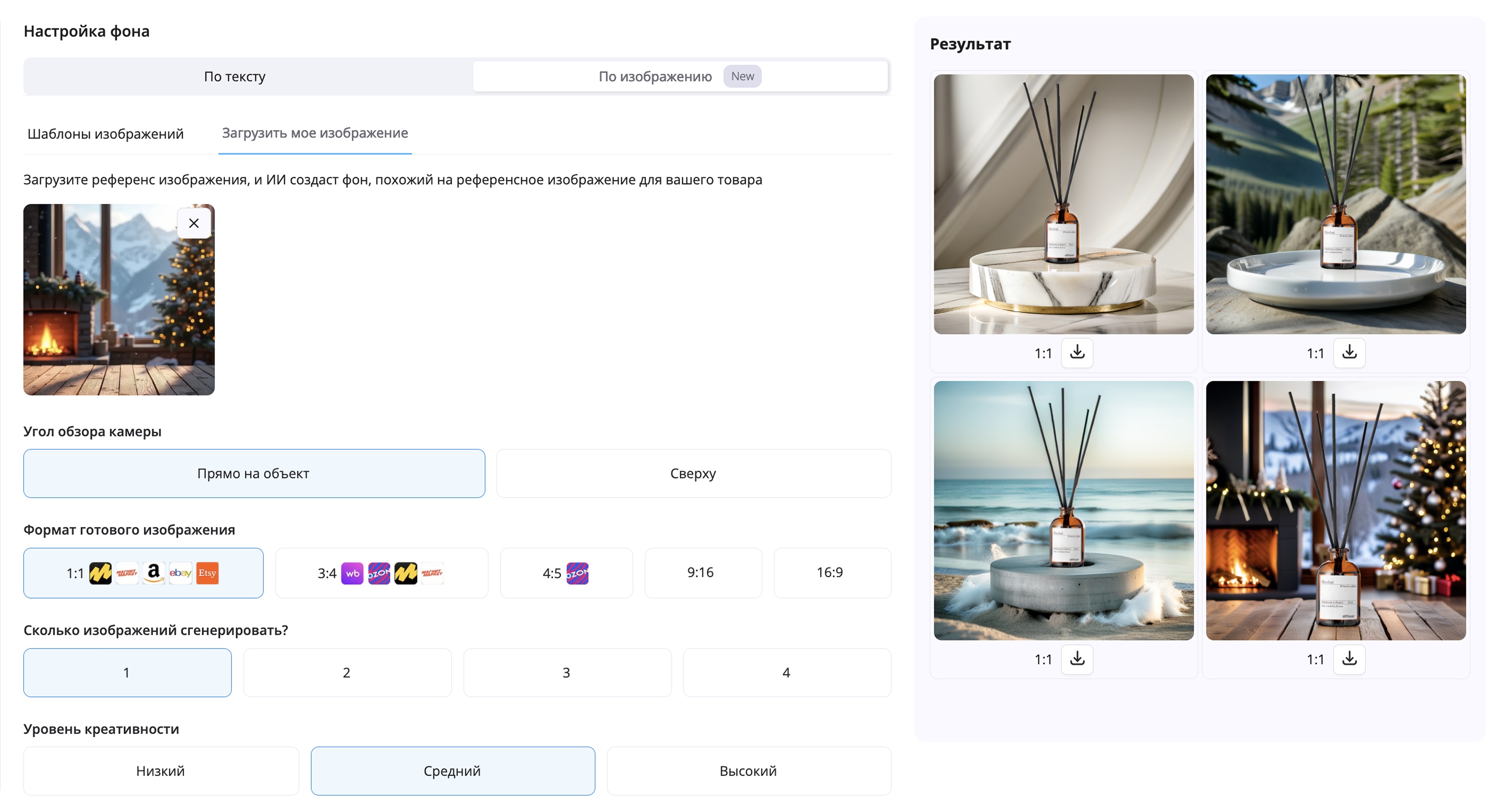
Choose a style generation mode: select a photo reference or specify the desired style using a text prompt.
Set the shooting type: AI Product Infographics supports both product-focused and lifestyle scenes with models.
Enter the product name and benefits — you can fill in the fields manually or use the auto-fill feature.
Select the format for your marketplace: The tool automatically adapts dimensions and parameters for Wildberries, Ozon, Yandex Market, and other platforms.
Get the final image — ready to upload directly to your product listing.
How it works
Examples of using SellerDen.ai
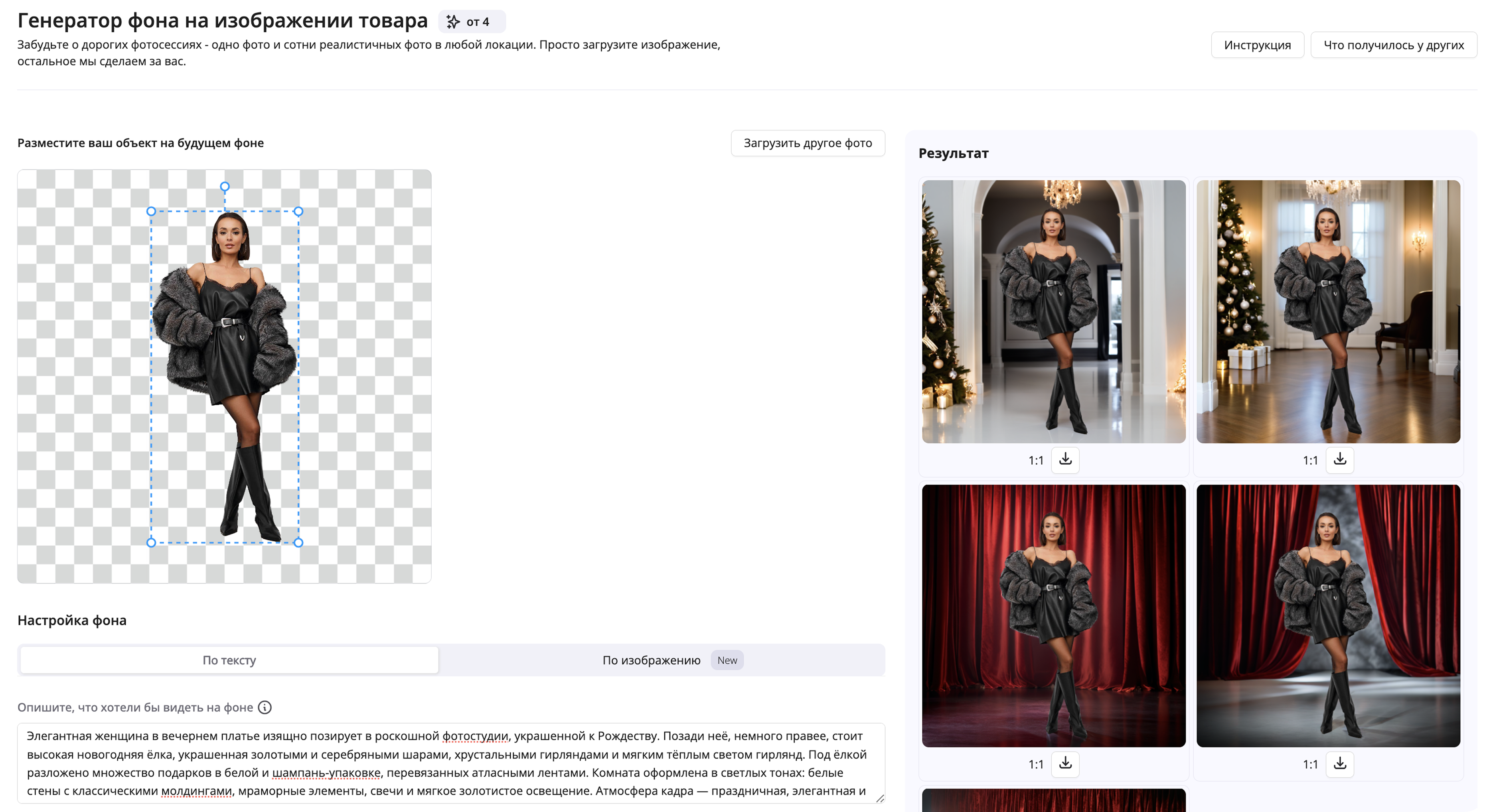
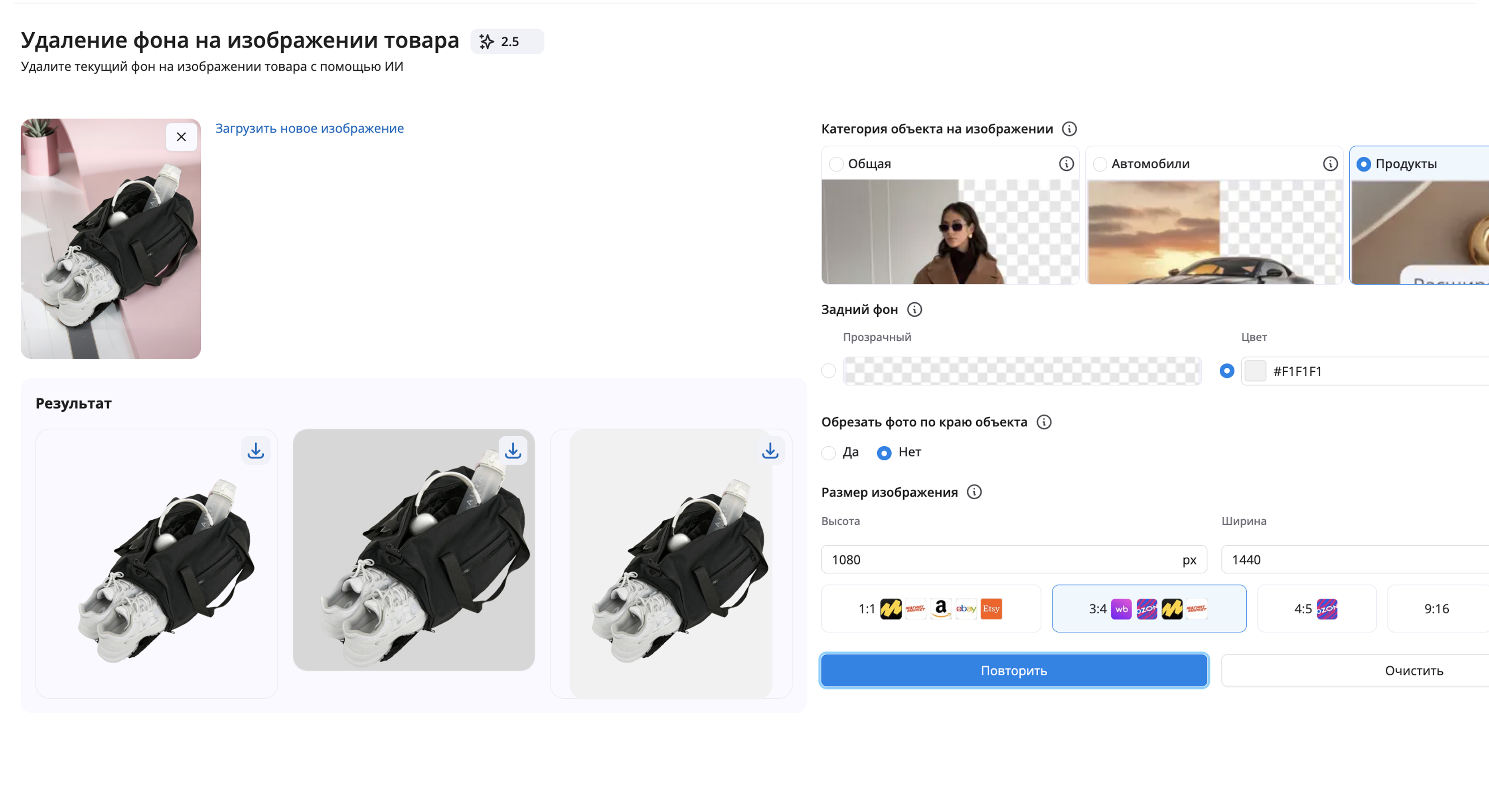
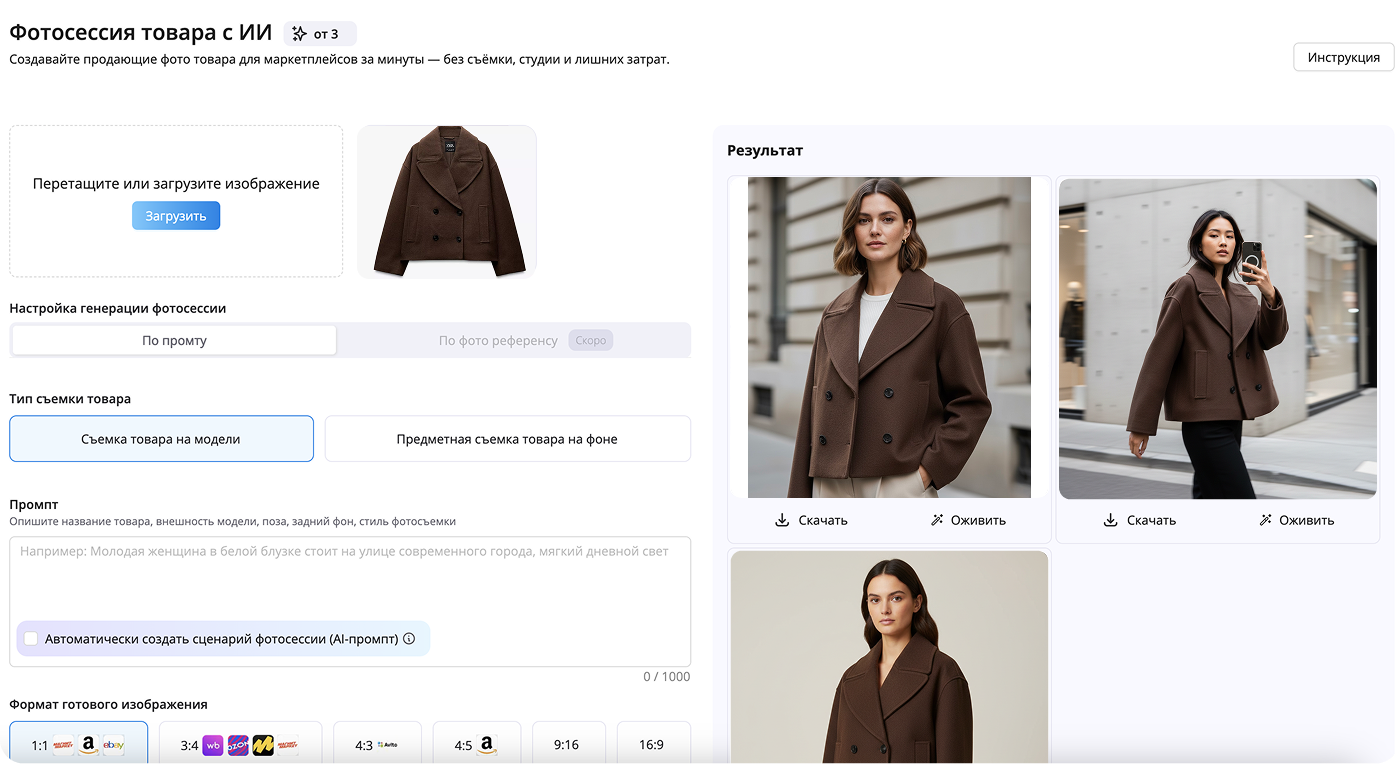
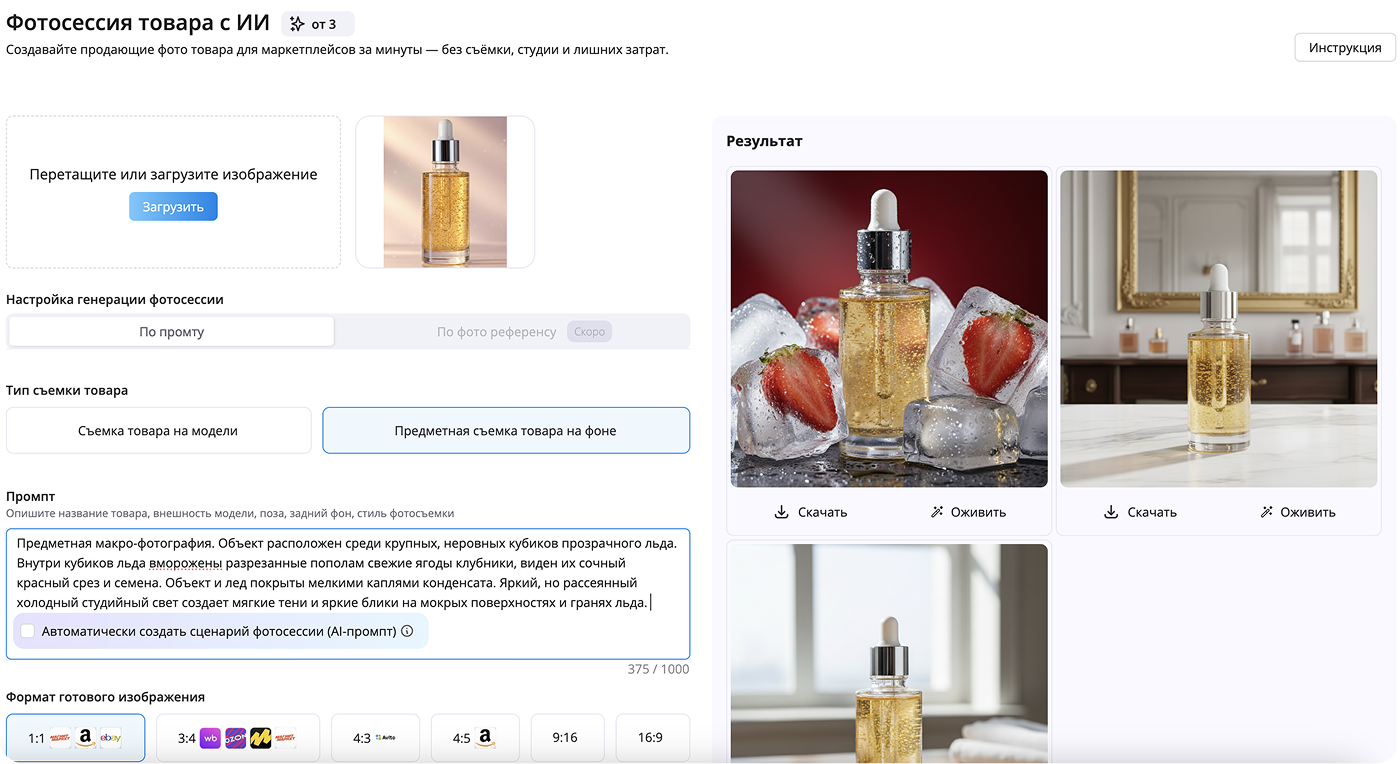
All neural networks for marketplaces —
AI Tools in one place
SellerDen AI platform brings together all the tools you need for content creation, listing optimization, and sales growth on marketplaces.
Several marketplaces — one tool
It's multi-platform: Ozon, Wildberries, Yandex — all in one place. The tool quickly generates infographics per platform, estimates CTR, and gives testing recommendations. You can check creative performance before rewriting copy or redesigning, saving time instead of guessing.
Bottom line: these solutions save hours of routine. Ozon infographics with a generator help control listing conversion. You get cover selection, problem-zone audits, image work, infographic generation, and adaptation to each marketplace's rules.
Small Ozon infographic tweaks often pay off — higher CTR, a few more orders, and a clearer workflow beats patching things together every time.




Pricing
Trial
For beginners who want to test the platform before purchasing
- 1–2 product cards
- 7 days
- 76 credits
- All tools available
Start
For beginner sellers who want to automate processes and try the full functionality
- Up to 4 product cards
- 3 days
- 80 credits
- All tools available
Standard
For sellers with regular workload who want to automate marketplace processes
- 20–30 cards
- 30 days
- 500 credits
- All tools available
Business
For store owners or teams working with a large number of products and reviews
- 100–150 product cards
- 30 days
- 2 500 credits
- All tools available
Why does it matter?
Save up to 90% of the time spent on routine operations
Reduce the number of errors caused by the human factor
Take your business to the next level using professional and effective AI tools